

Your Android phone, on your Mac.
Take calls, read and send messages, catch notifications, share your clipboard and move files between your Android phone and your Mac — over your own network, with no cloud in between.
Free for Mac · no account · nothing leaves your network

Signed and notarised by Apple
Developer ID build, stapled — opens without a Gatekeeper warning.
AES-256-GCM over your LAN
Per-session keys with forward secrecy, derived at every connect.
No account, no server
There is no relay to sign in to. Your devices talk to each other.

Answer the phone without picking it up.
Incoming calls arrive on your Mac in a banner that grows out of the notch, with the caller resolved against your contacts. Answer, decline or mute from the keyboard, and redial anything in your call history.
- Accept, decline and mute from the Mac
- Full call log with filters for missed, incoming and outgoing
- Redial straight from any row
Call audio stays on your phone's route — Synqed handles the signalling, not the audio. There's no VoIP bridge.

Your SMS threads, on a real keyboard.
Threaded conversations sync to the Mac and update live as messages arrive. Reply, start a new thread to any number, and search across everything.
- Send and receive, with long messages split correctly
- New messages push through the moment they land
- Dual-SIM aware, with a picker when your phone reports two

Every notification, with the app's own icon.
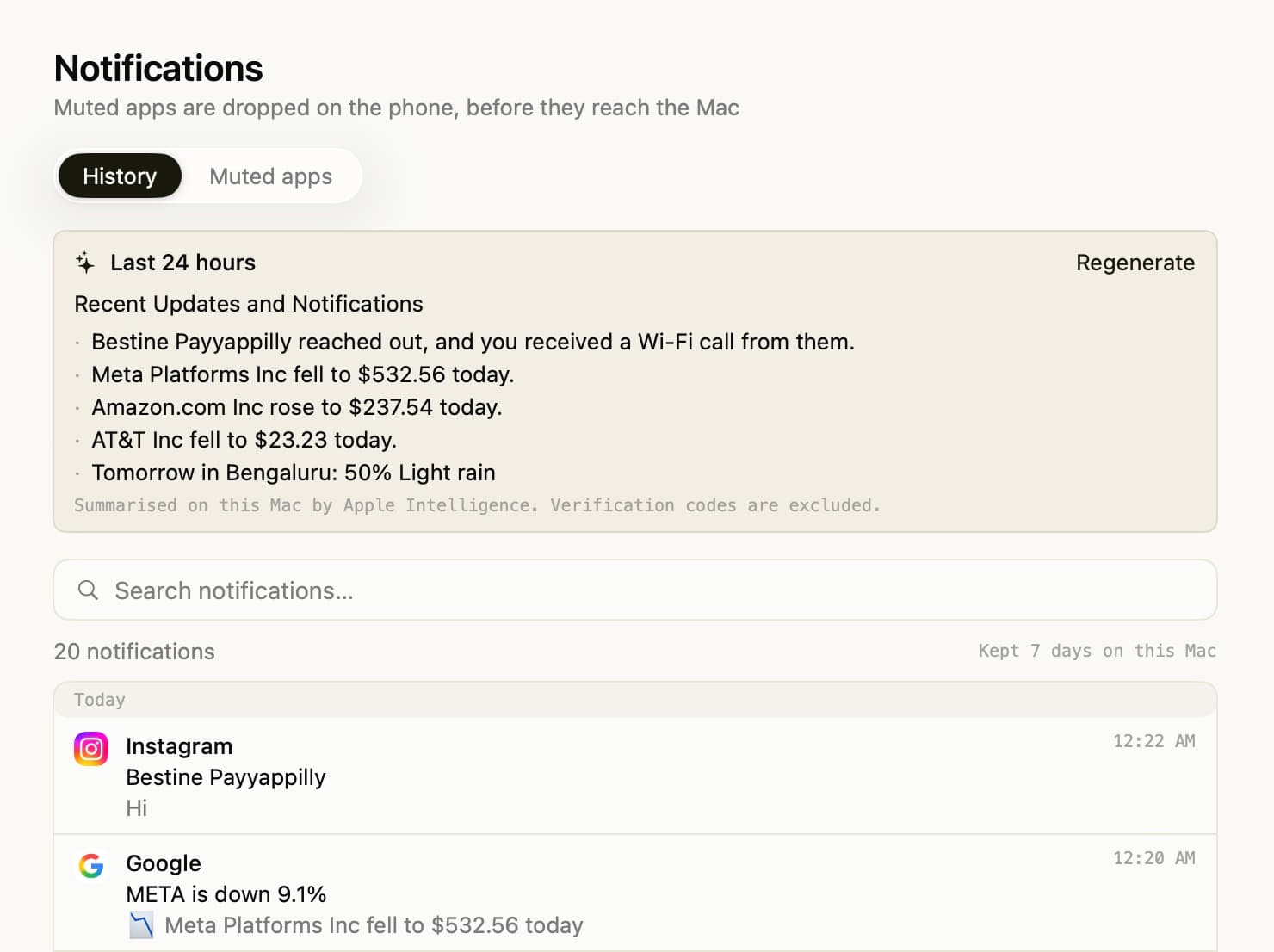
Phone notifications mirror into Notification Center with their real app icons. Reply inline, trigger the app's own action buttons, and dismiss on either device.
- Inline reply and action buttons, sent back to the phone
- Per-app blocklist across your full installed-app list
- Named Do Not Disturb profiles you can switch between
- Seven days of history, with an on-device daily digest
The daily digest is generated on your Mac with Apple Intelligence. Notification text is never sent anywhere.

Copy here, paste there.
Copy on the Mac and it's on your phone. Text and images both, in both directions, with an opt-in mode that captures phone copies automatically.
- Text and images, Mac to phone automatically
- Share sheet from Android works with no extra setup
- Optional auto-capture for copies made on the phone

Drag a file at the notch. It lands on your phone.
Drop files onto the notch, the Dock icon, or the app window. Transfers resume if the connection drops, and you can browse your phone's storage from the Mac to pull things back.
- Resumes across a disconnect instead of restarting
- Pause and cancel mid-transfer
- Browse phone storage with image and video thumbnails


There is no server to trust, because there isn't one.
Your phone and your Mac find each other on your local network and talk directly. Pairing is a numeric code you compare on both screens; after that every connection derives a fresh key, so recording today's traffic doesn't help anyone tomorrow. Nothing is uploaded, because there is nowhere to upload it to.
How it works, in detail →
Install on both, pair once.
Synqed needs the app on your Mac and on your phone. Pairing is a numeric code you confirm on both screens — there is no account to create.
Android
Android 13 or later
Closed testing · not publicly released